Call, Fix, or Toss? The Real Math on Printer Repairs vs. Warranty Coverage
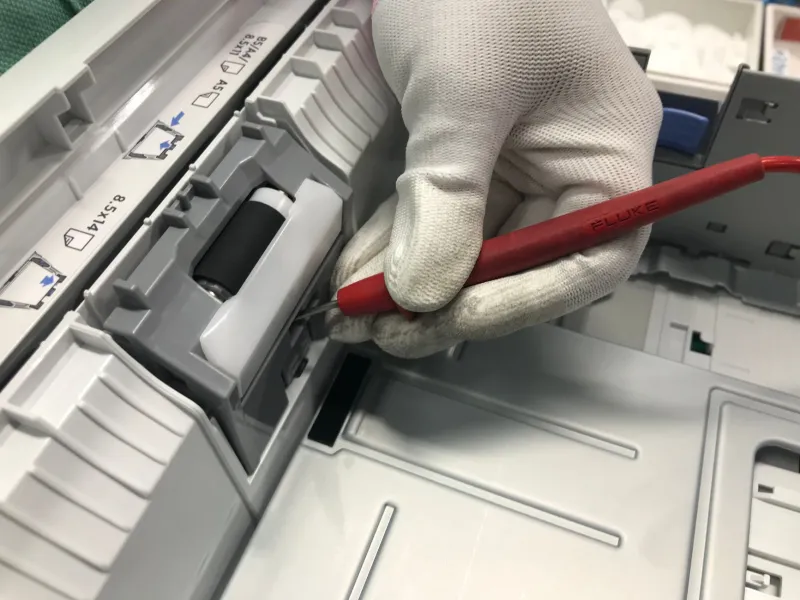
Your printer is jamming every third page. The rollers squeal. Or maybe it flat-out refuses to recognize the ink cartridges you just bought. Now you're stuck with the classic American dilemma: call support, fix it yourself, or head to Best Buy and start over.
Here's the thing most people don't realize — the cheapest option changes depending on your warranty status, your printer's age, and what's actually broken. Let's break it down with real numbers.
What Your Warranty Actually Covers (and What Voids It)
Most consumer printers from HP, Canon, Epson, and Brother come with a one-year limited warranty. That typically covers manufacturing defects — failed printheads, dead logic boards, motors that quit. It does not cover:
- Paper jams you caused
- Ink or toner (consumables are almost never covered)
- Damage from third-party ink or refilled cartridges
- Physical damage from drops or spills
That last one matters. Using off-brand cartridges can void your warranty on some models — Epson and HP in particular have gotten stricter here, though the Magnuson-Moss Warranty Act limits how far manufacturers can go. In practice, if third-party ink caused the failure, expect a fight.
The DIY rule of thumb: Opening the printer to clear a jam or clean rollers won't void most warranties. Cracking the case to replace parts probably will.
Common Repair Costs by Brand
If you're out of warranty, here's what independent repair shops and manufacturer service typically charge:
| Issue | HP | Canon | Epson | Brother |
|---|---|---|---|---|
| Roller replacement | $60–$120 | $50–$100 | $60–$110 | $50–$90 |
| Printhead repair | $80–$150 | $100–$180 | $90–$160 | $70–$130 |
| Paper feed mechanism | $70–$130 | $60–$120 | $70–$130 | $60–$110 |
| Flat-rate out-of-warranty service | $100+ | $100+ | $100+ | $90+ |
Compare that to the printers themselves. A decent HP OfficeJet runs $100–$180. A Brother laser monochrome starts around $120. When a repair quote crosses $100, you're often better off replacing — unless you own a workhorse laser model that cost $400+.
The DIY Fixes Worth Trying First (Cost: $0–$15)
Before spending a dime, these solve a surprising share of problems:
1. Roller cleaning. Grab a lint-free cloth, dampen it with distilled water, and wipe the pickup rollers. Squeaky feed problems and multi-page pulls often vanish. Cost: nothing.
2. Firmware reset / power drain. Unplug the printer, hold the power button for 15 seconds, wait a minute, plug it back in. Clears a shocking number of phantom errors. Also check for firmware updates — some fix cartridge recognition bugs.
3. Cartridge contact cleaning. Isopropyl alcohol on a cotton swab, gently on the copper contacts. Fixes "cartridge not recognized" errors constantly.
4. Deep clean cycles. Built into most printer menus. Uses a lot of ink, but beats a service call.
5. Manual jam hunting. Open every door, pull the paper path, check the rear tray. Torn paper scraps cause repeat jams.
If any of these works, you just saved yourself a $100 service call.
When Calling Support Is Actually the Right Move
Don't DIY if:
- You're under warranty and the issue isn't consumable-related. Official support lines for HP, Canon, Epson, and Brother are free while covered — use them.
- The printhead is dead on an inkjet under warranty. That's a $100+ part; let them replace it.
- You smell burning or see smoke. Stop. Unplug. Call. No fix is worth a fire hazard.
One warning: skip the Google-sourced phone numbers. Scam "support" lines posing as printer brands cost US consumers millions a year. Always verify the number on the manufacturer's official website before dialing.
The Decision Checklist
Run through this before you spend anything:
- Is it under warranty? Yes → call official support. Done.
- Is the fix a cleaning or reset? Yes → DIY it. Costs nothing.
- Is the repair quote over 60% of a new printer's price? Yes → replace.
- Is your printer an inkjet over 4 years old? Consider replacing anyway — inkjets degrade.
- Is it a laser printer? Repairs are usually worth it; lasers last longer and hold value.
- Do you print more than 100 pages a month? A reliable machine justifies a repair that a rarely-used printer doesn't.
Bottom Line
For most people with a sub-$200 inkjet, the math favors DIY fixes first, replacement second, and paid repairs almost never. Warranty holders should always call the manufacturer first — it's free and you've already paid for it. And if you do need a support number, get it from the official brand site, not a search ad.
Run the checklist, make the call (or don't), and get back to printing.
