E3, 0x6100004a, and Other Printer Riddles: When to Grab a Screwdriver and When to Grab the Phone
Nothing ruins a Tuesday like your printer flashing 0x6100004a at you like it's launching a missile. You didn't sign up to learn hexadecimal. You just wanted to print a return label.
Here's the good news: most printer error codes fall into two buckets. Bucket one is stuff you can fix yourself in under ten minutes. Bucket two is hardware failure, where calling the official support line is genuinely faster than fighting it. Let's decode the big ones.
Codes You Can Fix Yourself (Don't Call Yet)
E3 (Canon and many budget inkjets)
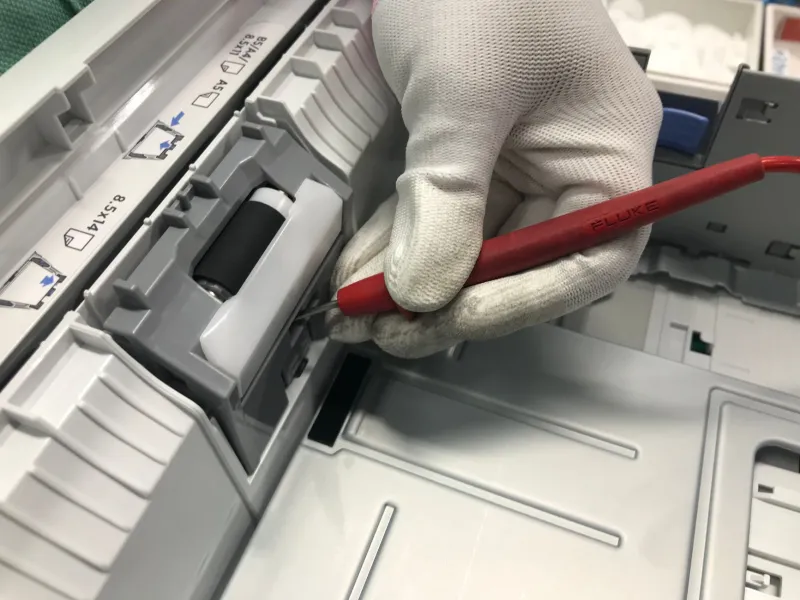
Nine times out of ten, E3 means a paper jam — or the printer thinks there's one. Open every access panel, pull out the paper gently, and check for a shredded scrap stuck near the rollers. Pro tip: use a flashlight. A torn corner the size of a postage stamp will keep triggering the sensor. If nothing's there, the sensor itself may be dusty. A shot of compressed air usually clears it.
13.xx Paper Jam (HP)
HP's jam codes are honest, at least. The number after the decimal tells you roughly where the jam is. Pull the tray, open the rear door, and check the duplexer if you have one. If the printer keeps yelling "jam" with visibly no paper, a tiny strip is almost always wedged under the roller assembly.
E-01 / W-13 (Epson)
Epson's basic codes are refreshingly plain-language: paper out, paper jam, or ink low. Swap in fresh paper, make sure the stack isn't over the fill line (overfilling causes jams more than underfilling), and you're back in business.
Firmware-related errors (0x6100004a variants, HP)
That infamous hex string often traces back to a carriage or scanner initialization glitch. Try this sequence: unplug the printer, hold the power button for 30 seconds to drain residual power, plug it back in, and let it fully boot. If it comes back, check for a firmware update through HP Smart. Roughly half the time, a power drain kills this error for good.
Codes That Mean It's Time to Call Support
79 (HP LaserJets)
This one's a firmware/hardware fault on the formatter board. A firmware update sometimes fixes it, but if the error returns after a flash, the board is likely failing. That's an internal part — don't open the case. HP's support line can run diagnostics and get you a replacement under warranty if it qualifies.
50.x Fuser Error (HP LaserJets)
The fuser is the hot assembly that bonds toner to paper. A 50.1 through 50.4 code means it's overheating, underheating, or dead. Unplug the printer and let it sit for 30 minutes — if the code returns, the fuser needs replacing. On many LaserJets the fuser is a user-replaceable part, but you'll want HP support to confirm the right part number for your model before you buy anything.
5B00 / P07 (Canon)
This is the ink absorber is full error — the printer has counted a lifetime of ink-soaked cleaning cycles and locked itself as a safety measure. Canon can walk you through a reset, but the absorber pads physically need replacing or cleaning, or ink will eventually pool inside the machine. This is a support call, not a DIY guess.
W-11 / 0xEA (Epson)
A carriage error. The print head is stuck or hitting something. Remove any packing material (if it's new), clear obstructions, and check for a dislodged encoder strip. If the carriage won't move freely even after that, the drive mechanism may be failing — Epson support can determine whether a repair makes economic sense. Spoiler: on printers under $150, it often doesn't.
The Five-Minute Pre-Call Checklist
Before you dial anything, run through this. It'll save you twenty minutes of hold-script agony:
- Power cycle properly — unplug for a full 60 seconds, not just an off/on toggle.
- Update firmware through the manufacturer's app.
- Note the exact code and your model number (it's on a sticker, usually the back).
- Know your warranty status — check the serial number on the manufacturer's site.
One Warning: Google Is Not Your Support Line
Here's where we get preachy for a second. Searching "0x6100004a help" will surface sketchy third-party numbers that charge $200 to tell you to unplug your printer. Only use the support numbers published on the manufacturer's official website — hp.com, canon.com, epson.com, brother-usa.com. We keep a verified directory of those lines right here on this site for exactly that reason.
The Bottom Line
Paper jams, low ink, and flaky sensors? Handle it yourself — you'll be done before a support agent picks up. Fuser errors, formatter failures, and ink absorber locks? Call the official line and let warranty coverage do its job. And if the repair quote is more than half the cost of a new printer, it may be time to shop for a replacement instead.
Print on, friend.